Channels In Use [Tab 32]
To open the Channels in Use display, select the {CIU} icon in the home screen or press [Tab] & [3][2].
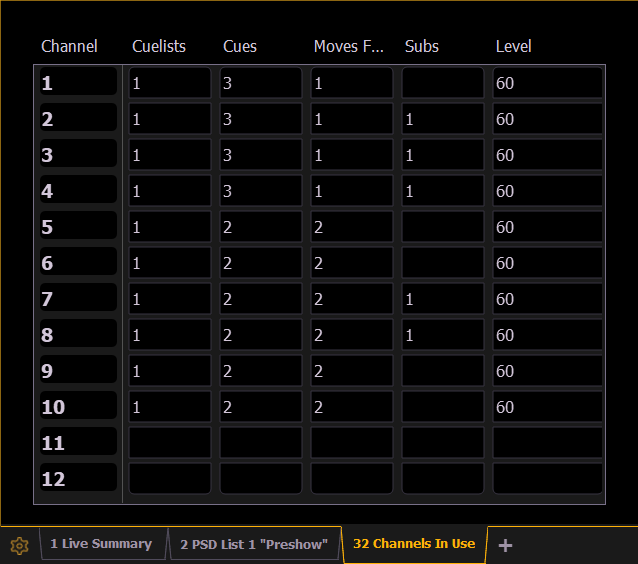
This display shows the following information for each channel:
- Number of cue lists the channel appears in.
- Not available on Element Classic.
- Number of cues the channel appears in.
- Number of cue moves from zero.
- Number of submasters that channel appears in.
- Maximum channel level.
Right-click on the CIU tab to limit see which channels are used with a specified cue list.
Channels In Use Tab Configuration
Tab configuration menus contain additional sets of context-specific options for a display. They can be accessed from the bottom of the Tab Tools by right-clicking or double-tapping either the tab or the gear icon to the left of the frame's tab bar.
The Channels In Use tab configuration menu allows you to filter the displayed channels by Cue List Selection. Choose All cue lists or select an individual cue list name.